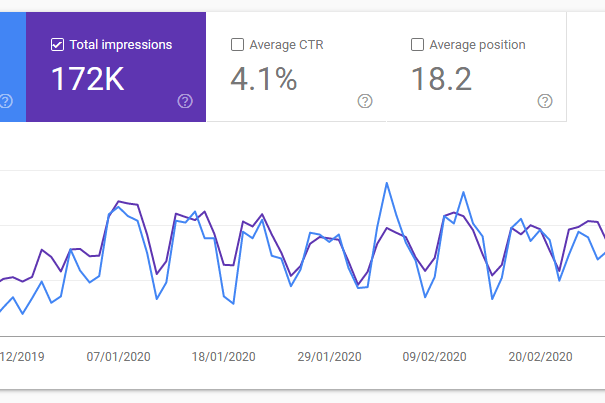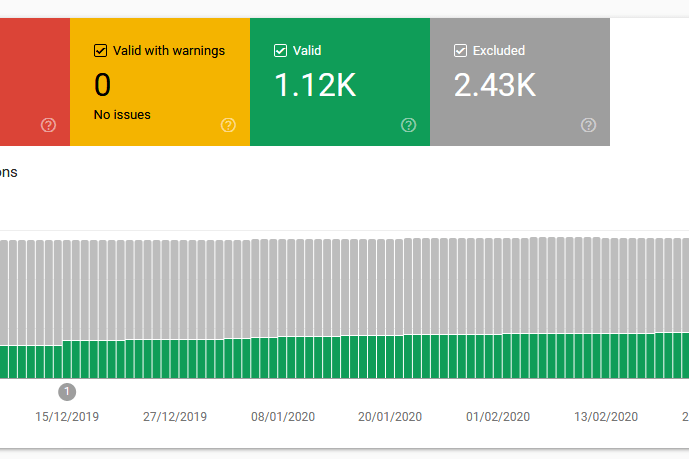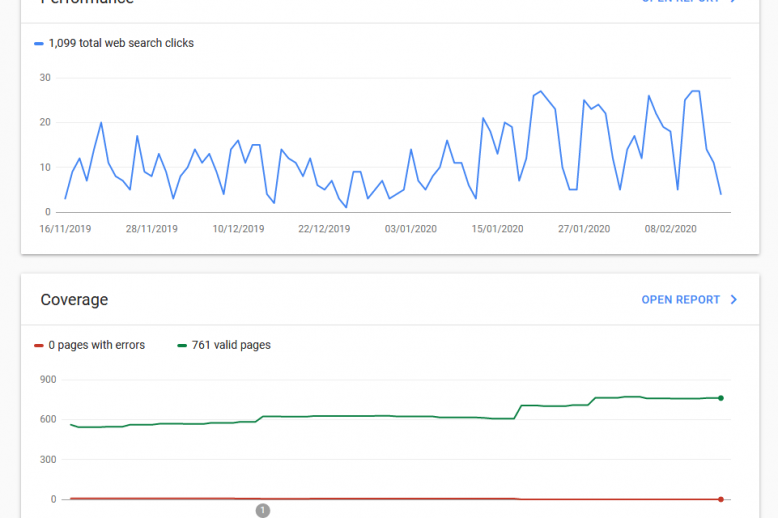
Some interesting website statistics 2025 to 2026
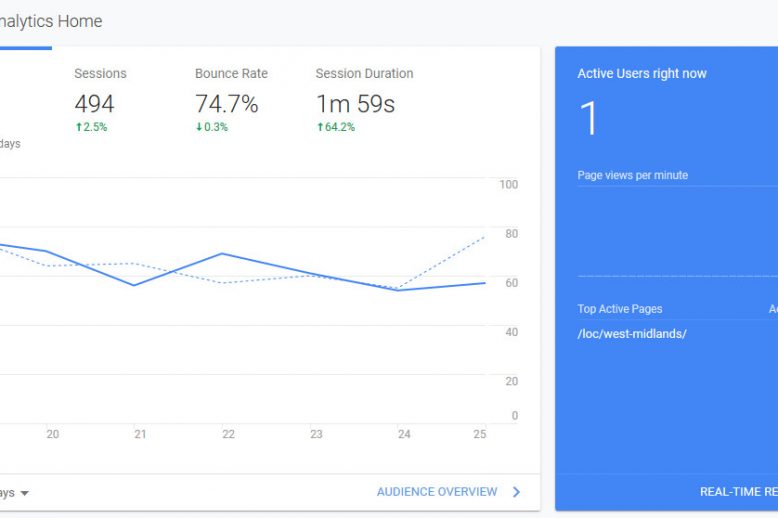
We have been doing some digging and found some interesting website statistics that should interest anyone with a web presence.

We have been doing some digging and found some interesting website statistics that should interest anyone with a web presence.
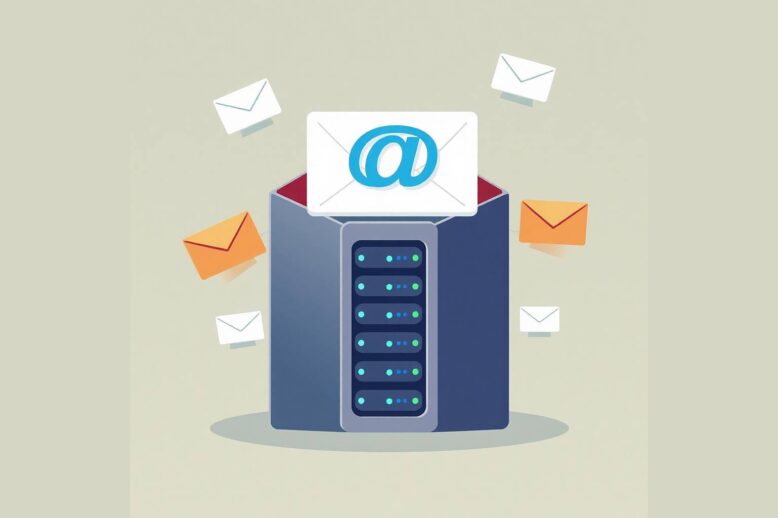
Email migration is the process of moving your email archive to another provider can have its challenges but should proceed smoothly.
We are delighted to announce the launch of business new email services from Web Growth. Take your emails to the next level through our reseller partnerships with Microsoft 365 and Zoho Mail. Features of domain-based business email Here are the main features of your new domain-based business email accounts: Secure and reliable email accounts using…
We are delighted to announce we can supply Business email through new reseller partnership from Microsoft 365 and Zoho Mail.
In the previous blog post on we introduced the concept of domain-based business email. We mainly covered the important first step of choosing the best domain name for your business and how this is as important as your logo, branding rules and business locations. We’re now assuming that you have a nice shiny domain name…
Domain based business email are email accounts that use a custom domain name, such as name@yourbrand.com, instead of a free personal one like @gmail.com or @yahoo.co.uk. This provides a more professional appearance, builds your brand, and reassures your customers that you are an established business. Using a free personal email account could easily be the…
If you have a WordPress website then you will probably need to install a WordPress cache plugin to boost speed. WordPress is widely used Content Management System that provides a wide range of features and options for creating and updating a website that helps you meet your business needs. It’s because of this ubiquity that…
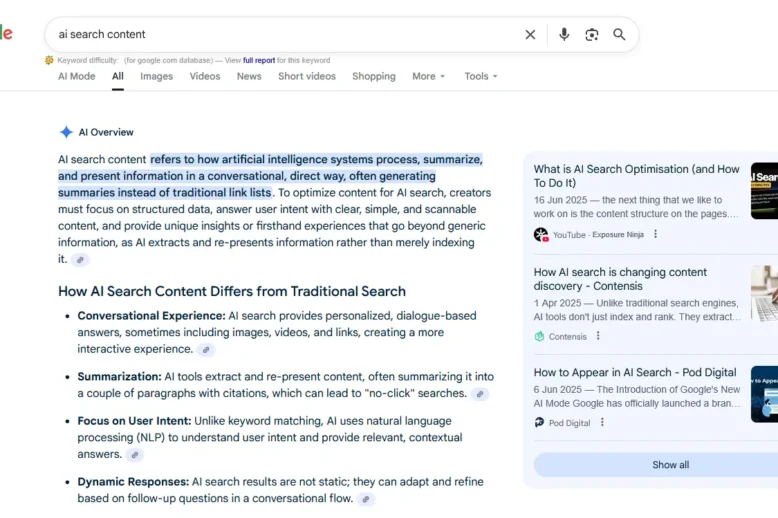
Tips and actions that can help male your website more AI friendly. Answering questions posed within the first two lines of your paragraph is a good start but there are other important actions.
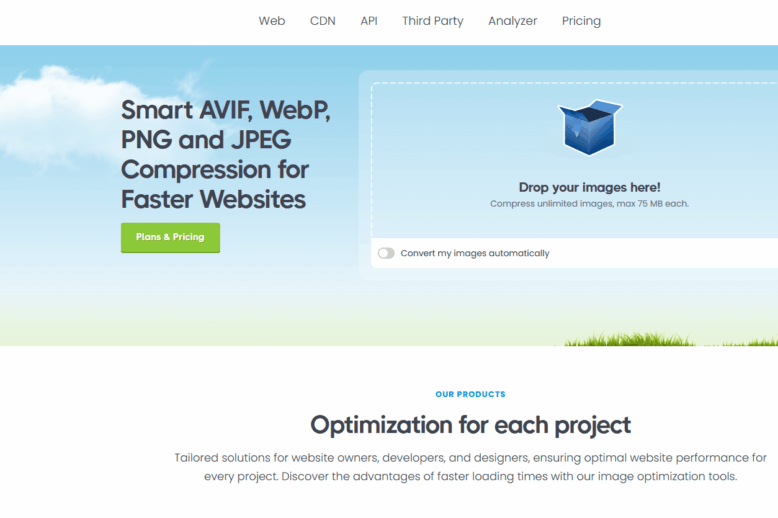
Image optimisation is a great way to start in increasing your website speed. We cover image sizes, file formats and tools to use.
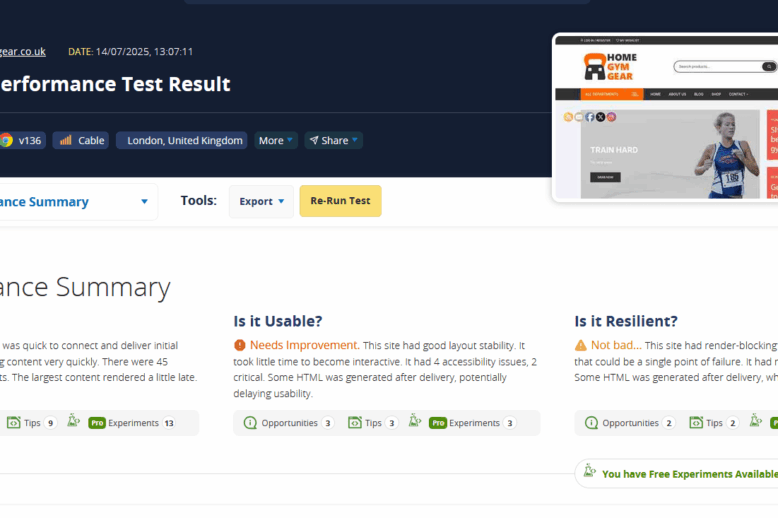
Your website speed influences how users interact with your website and affects how your website ranks on search engines. Improving your website speed – how quickly it displays on a web browser – boosts the user experience and is one of the many ranking factors that Google (and other search engines) search bots assess to…
10 tips on what to do when you launch a new website covering technical tweaks and promotion n Google My Business and Bing.
Here’s our carefully chosen summary of the world of web design news and getting your business online. Proof Your Website Design May Be Undermining Your Organic Traffic Data shows 75% of users judge a company’s credibility based on its website design, according to Zippia. And it takes just 50 milliseconds for a visitor to decide…
SEO software tools help you optimize your website for ranking and traffic on search engines. There are multiple free tools available to help you. This blog post will describe some of the best premium tools available for SEO (search engine optimisation). These tools are subscription based, either monthly or annually as the world of search…
Some free SEO software tools and how they can help you analyse and boost your web traffic.
Google Search Console (formerly Google Webmaster Tools) (GSC) is a free service offered by Google. It helps you monitor, maintain, and fix your website’s presence in Google Search results. This post gets you started on using it effectively.
A short tutorial on how to sign up for and use chatGPT for absolute beginners.
A guide to a web design cost and what you should expect to pay including web design, web hosting and SEO.
Most businesses need a web presence. While social media is always important, businesses should not ignore setting up their own website and domain. This is because the sites themselves go in and out of fashion, change demographic appeal and can be tainted on the whim of new management or owner. Social media sites change over…
Here’s our summary of the most interesting web design news in October 2024: How Much Does A Website Cost? (2024 Guide) There are many components that go into establishing a website. You must factor in website costs for domains, hosting and design. When building a website, there are three ways to go about it:…
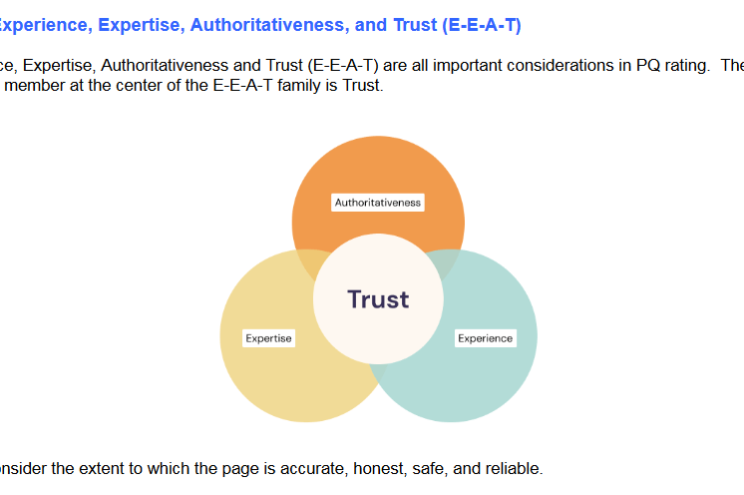
How to demonstrate Google E-A-T-T to help boost search engine rankings and improve the user experience.
How your web design includes content and Google’s E-A-T-T that can help create good quality content that ranks on search engines.
How to build SEO into your web design, initially focusing on website structure, hosting and URLS.
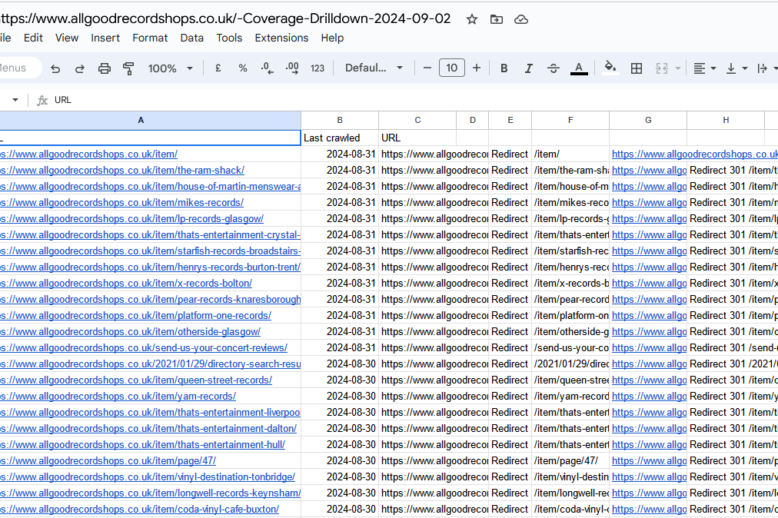
When setting up page redirects how to generate and manage the URLs for 301 redirects when you go live with a new web design,
SEO news August 2024 – bringing you the best, curated news that will help you optimise your website to rank highly on search engines.
Once you have made decisions on your domain name and web design you can think about web hosting. Your website files will need to be uploaded to a web server so they can be viewed online by anyone typing your URL into a web browser. A web server is a computer that has been set…
How to plan for your new web design, consider features required and search engine optimisation.
Some tips on how to choose correct domain names including keeping it short and memorable.
Why and when WordPress is the right choice for your web design including recent market share data and types of website it can used for.
This post gives our favourite inspirational quotes for entrepreneurs. Life as an entrepreneur or business owner can be rewarding but is often tough as almost all motivation has to come from you.
Domain-based emails are essential for business, building trust and credibility for your clients.
A selection of the most interesting web design news articles for business owners, entrepreneurs and start-ups for February 2022.
Getting your e-commerce website ready for the festive season with more staff absences in your company and your web hosting company. Think backups and updates.
Here are some of the best web design news articles we have recently found that are informative, entertaining and useful.
Choosing a domain name is a vital step in getting online. Sometimes the decision is easy as you need a domain name that matches your brand or trading name. However you may also want to use a so called exact match domains using keywords that you are trying to rank for on search engine results…
A manual website SEO audit involves a human SEO expert analysing website data and coming up with a list of recommendations and modifications. We have seen several free auto-generated examples of website audits and we haven’t been very impressed with the results in the main. The information supplied is sometimes wrong but, that aside, it…
A new website design for your business website has many benefits. In terms of PR and promotion it’s a good story for public relations work and an excuse to contact past customers and enquirers. This will naturally impact your web traffic and you should see a good spike in web traffic as you tell people…
The blog post examines the importance of 301 redirects in ensuring your new website maintains the web traffic levels and rankings of the old website (301 redirects tell Google and other search engines that a web page URL has changed permanently). A new website design is a fine thing. All those niggly problems are solved…
It’s that time of the new year when we need to look forward to the best web design trends for 2021. The less said about the terrible pandemic year of 2020 the better. However what it has shown is the resourcefulness and innovation of people and the ability of the Internet infrastructure to deal with…
Search Engine Optimisation is unfortunately vulnerable to SEO myths. These are ideas that have been conclusively debunked elsewhere but somehow get discussed in client meetings or by self-proclaimed SEO ‘experts’ that should know better. My theory is that because SEO actions often take weeks and months to show an effect, myths are hard to disprove…
Your domain name is a prime asset of your business. While social media sites ebb and flow, your website domain and email accounts should be a key part of your brand; as important as name, physical locations and logo. Who should own domain names? At the risk of turning away business, we recommend that you…
Here are some of best and most useful web design news articles and posts that we have seen recently. Bad Web Design Isn’t Just Annoying—It Costs You Whether you’re after sales, leads, more readers, or making a difference, bad web design can sabotage your efforts. Put your best foot forward with these principles of good…
Your search engine rankings will often change from one day to the next. This is natural. One day you’re top of the pile and then the next, you have fallen behind your competitors. The first thing to do is not panic, the second thing to do is check your data. One or two days of…
Lockdown for us has been busier than expected. We were prepared for things to come to a grinding halt however some clients provide essential services and their emails and websites need to be kept online. Others have used the quieter times to freshen up websites and get ready for the new normal in times of…
Google makes small changes to the way the algorithm orders search results daily. Most of these are small adjustments based on feedback from human Search Quality Raters, users, website owners and Google staff. They are always designed to improve the user experience, relevance of search results and fairness. In an ideal world this should mean…
These are very strange times indeed and we hope that you, your employees and your family are keeping safe whether you are a key worker, working from home or simply self-isolating. Here at Web Growth Consulting we’re still working as a number of our clients are in key industries such as logistics and transport. There…
An SEO audit of websites can help boost your web traffic and rankings. A good SEO audit is a detailed analysis of your website and should reveal important information about your users, their behaviour and how your website is indexed by search engines. The scope of the audit can be extended to include competitor analysis…
Here is a digest of the latest and best SEO news and views from February 2020. Google Discourages Repetitive Use of FAQ Structured Data Markup Google updated its guidelines for the use of FAQ structured data with recommendations regarding repetitive content. The following line has been added to Google’s developer document for FAQ structured data:…
When you are building a new website for your venture or company there are many competing priorities. However you should always consider SEO during a new web design or development. Reasons for a new web design The single biggest objective is that the new website improves significantly on what you currently have. It might be…
At the start of a new year Google often announces a flurry of changes and improvements to the search engine. It impacts website owners and webmasters as websites will need to be tweaked and changed as a result. Google provide a very helpful 8 minute video here: Here’s a summary of the main points: Google…
This post highlights “Deep Work” methods for staying focused in work for difficult tasks. I apologise for the slight delays in publishing due to distractions like the phone ringing, signing for deliveries and various client emails that needed dealing with urgently (see what I did there?). Most jobs have a mix of different types…
Crystal ball time as we look forward to web design trends that are likely to dominate in 2020. We looked at some of the best articles and distilled it into our own list: #1 Dark mode This is already an option on phones so will be familiar to most users. It has the benefit of…
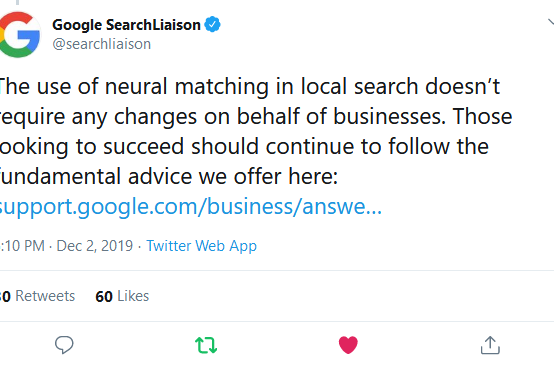
On the 2nd December 2019, Google announced that they had updated the Local search update. These are the links to local businesses that often appear at the top of the search engine results pages. For some businesses these are absolutely crucial. If someone is searching for a locksmith, barber or car servicing for example, then…
Here is a digest of latest news from the wonderful world of web design in November 2019. Abstracting WordPress Code To Reuse With Other CMSs: Implementation (Part 2) – Making our code CMS-agnostic, as much as possible, enables us to easily port our application to another CMS if the need arises. In this article we…
Google, through their Webmaster Central Blog, have recently released some excellent advice about Google updates. They confirm what we already know: daily, Google tweaks the algorithm in ways that may affect individual websites or have minor impacts on everyone, but are aimed at improving the user search experience. Google usually releases one or more changes…
If you buy one of our entry level web hosting packages then these will come with a number of branded email accounts. This means that you can ditch those unprofessional looking free gmail or yahoo accounts for use in your small business or start-up. We can set you up with a standard email account email…
This blog post combines and updates of our three part series on web design vs SEO as we think it’s more useful to put everything together on and important subject. Yes, web designers, web developers and SEO consultants will often clash. The web team is trying to meet their production deadline but SEOs are trying…
Google announced in May 2019 their support for FAQ and How-to structured data on Google Search and the Google Assistant, including new reports in Search Console to monitor how your site is performing. They published a useful blog article explaining in more detail here: New in structured data: FAQ and How-to It’s very well written…
Search Engine Optimisation (SEO) is a term that means many different things to different people, often confused with digital marketing, PPC advertising and other online promotion. The best definition we have found refers clearly to taking measures to improve the quantity and quality of website traffic. Search engine optimization is the process of increasing the…
While mobile internet usage has grown, desktop and larger devices are still preferred for important tasks on the web according to research by the Nielsen Norman Group (Large Devices Preferred for Important Tasks). Despite substantial improvements in mobile UX over the past decade, people still tend to do their most important online activities on larger…
Online marketing expert Kevin Indig recently updated his blog post The 10 SEO ranking factors we know to be true. There is a lot of information around on ranking factors and their importance and the sheer number is often bewildering (between 200 and 500 depending on who you believe) but this blog does a great…
The sometimes belligerent but well-respected SEO consultant Barry Adams from Polemic Digital often quotes this statement from a client’s Lead Developer. This neatly sums up the occasional tension between web designers and web developers and SEO professionals and marketing personnel. Everyone wants the web project to succeed but priorities are different depending on their…
Your web design is primarily for your website users, but you also need to make sure that search engine bots can find their way around it. Others are entitled to their opinions such as senior company personnel, PR and marketing departments etc, but it’s the user experience that trumps everything. The role of web design…
Here’s some recent news on web design. Web Design Company, Huemor, Shares Tips for Creating a Converting Product Page Web design company Huemor has gathered the following four tips to consider when creating a product page that converts: Videos or photo galleries, 360° Views of Products, Descriptions and alt text descriptions, Test your product pages.…
When people ask for a web design quote we are naturally pleased they have considered us as an option to design, code and host their website. When we get an enquiry, we don’t expect to get a lot of detail straight away. There are often commercial sensitivities and we pledge to treat each enquiry with…
The blog post will help you fix your WordPress website if it breaks. While WordPress is an excellent choice as a Content Management System there will be times when things go wrong. The default setup of WordPress is not to display error messages so you are likely to be presented with either the dreaded white…
Google has, very helpfully, issued a Search Engine Optimization Starter Guide. This is a more detailed version of the content of their excellent online training course the digital garage. The information was originally intended for internal consumption in Google; however it has made the document publicly available to help Webmasters and website owners improve their…
Here are some useful news stories from the Creative Bloq website and other sources: What website do you wish you’d made yourself? – Experts share the recent websites that have piqued their interest and impressed them the most. 15 essential JavaScript tools you should be using – The hottest frameworks and tools you need to…
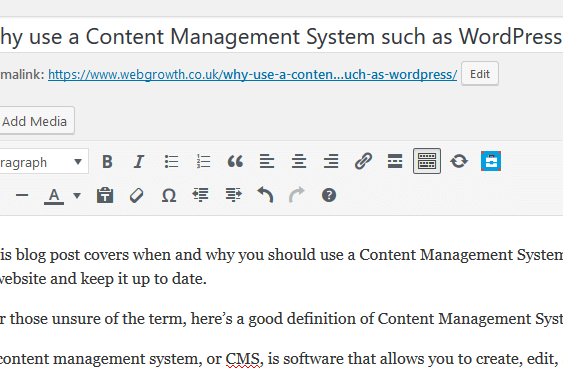
This blog post covers when and why you should use a Content Management System such as WordPress for your website. When you have a business with products or services to promote, you need a website and keep it up to date. For those unsure of the term, here’s a good definition of Content Management System:…
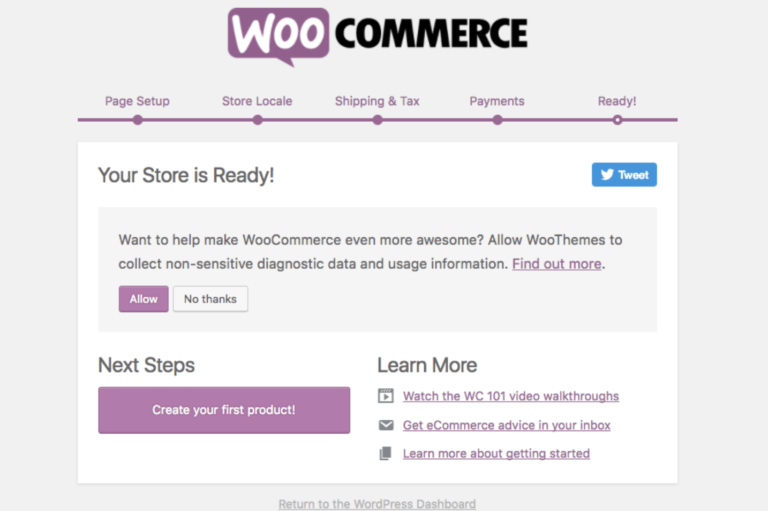
WooCommerce is a free plugin that adds e-commerce to your WordPress website. Install and configure it properly and you are ready to sell products and services to your website visitors. It’s free but you should enlist the services of a Woo Commerce developer to get the plugin properly setup and configured. That will entail cost…
If you run a website then you need to be aware of backlinks to your own website and competitors. Backlinks are links to your website from other websites and sometimes called “inbound links” or “incoming links”. Backlinks can affect your website positively and negatively, boosting it on search engines but also running the risk of…
There are several free SEO tools now available that can be used by both SEO experts and non-specialist marketing people alike. The tools mostly enable you to analyse your website, competitors and market sector and help with the following: Improving content quality and relevance to website users. Boosting the user experience. Find errors and faults…
The EU has passed a new copyright law that has Google worried enough to start a campaign opposing some of the proposed legislation. Whether the UK actually exits the EU or not on the 29th March 2019, website owners and Internet users are likely to be affected by the legislation in its final form as…
Let’s look at the possible web design trends for 2019. At the start of the New Year it’s natural to look critically at your website and branding and pick from the following options: Does my website need a full update encompassing content, layout and features? Will the website benefit from some minor adjustments to the…
Phishing attacks involve incoming messages that seek to trick the recipient into divulging private information or trick them into making a payment to the scammer’s bank account. The messages are normally by email but could be by any type of incoming messages such as online chat, text message and or redirection to a malicious web…
Dofelis vel mi finibus pretium nec pretium tellus. Donec a purus vehicula, fringilla ligula ac, posuere nisi. Cras nisl lacus, volutpat a odio posuere, iaculis sollicitudin purus.
Lorem ipsum dolor sit amet, consectetur adipiscing elit. Nulla sit amet lectus erat. Nullam ex sapien, bibendum et blandit id, mollis id ligula. Sed maximus cursus sem eget viverra.
If you run or own a website you might have noticed some fluctuations in search engine rankings recently. Google have released yet another major update to their algorithm that boosts sites that can demonstrate quality and the following three attributes: Expertise. Authority. Trustworthiness. On 1st August 2018, Google confirmed that it had released a significant…
Suspendisse rutrum tortor justo, eu sollicitudin nisl pretium et. In a elit ligula. Cras nisl lacus, volutpat!
Phasellus a justo eu sem pulvinar tincidunt eu ut arcu. Quisque id accumsan elit. Integer finibus lobortis fringilla. Aenean tincidunt id velit non volutpat. Praesent quis maximus nisi.
Morbi mi neque, consectetur ut convallis at, semper sit amet elit. Curabitur gravida porta ante et sagittis. Praesent eget nunc elementum Praesent eget nunc elementum lacus pretium malesuada. Nulla imperdiet quis elit non suscipit.
Curabitur ut felis vel mi finibus pretium nec pretium tellus. Donec a purus vehicula, fringilla ligula ac, posuere nisi. Cras nisl lacus, volutpat a odio posuere, iaculis sollicitudin purus. Praesent euismod volutpat rhoncus.
Aenean eget feugiat leo. Donec pretium bibendum elit, eget ullamcorper urna malesuada nec. Phasellus a justo eu sem pulvinar tincidunt eu ut arcu. Quisque id accumsan elit. Integer finibus lobortis fringilla. Aenean tincidunt id velit non volutpat. Praesent quis maximus nisi.
If you use embedded Google Maps on your website with features like routes, dynamic location markers and Street view then you might have experienced some issues with the maps not displaying properly. This is because you no longer have the right credentials and access setup for using embedded Google Maps. The new Google Maps Platform…
Over time the lovely website design that has served you so well will start looking a little jaded. Changes in technology, user behaviour and colour fashions will make you look critically at your web design and plan either a complete overhaul or tweaks to the layout or features. The rise of mobile and responsive web…
Praesent euismod volutpat rhoncus. Suspendisse rutrum tortor justo, eu sollicitudin nisl pretium et. In a elit ligula. Nam id sem quis mauris porttitor conse quat id vitae dolor – mauris lorem ipsum nulla it amet ultricies mi dolor at pharetra.
User signals are measurable patterns of behaviour by your website visitors. They can be used by Google as a ranking signal which are factors that influence where your website may be ranked in search results. Some are also available in your web traffic Google analytics data as Key Performance Indicators of how your website is…
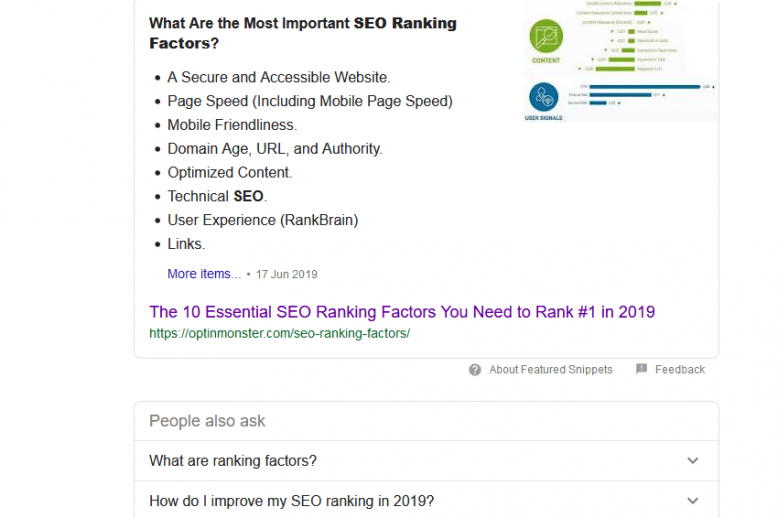
There are a number of factors that influence where your website is ranked in search results. The major ranking factors include the following: An Accessible URL . Optimised Page Speed (Including Mobile Page Speed). Mobile Friendliness. Domain Age, URL and Authority. Optimized Content to include the right keywords in pages, meta and alt tags. Technical…
From a web design perspective, many of the world’s most visited websites (https://www.alexa.com/topsites) are rather dull. Websites such as Google, You Tube, Facebook and Amazon are not shining examples of award winning web design but they have other obvious attributes. Here is the current top ten for the UK: Google.co.uk – Enables users to search…
The latest version of Google’s web browser Google Chrome is now clearly marking all http websites as ‘Not secure’ and all https websites as ‘Secure’. Google Chrome version 68 was released on 24 July 2018 and adds a very clear message for http and https websites. Here is the message for http websites: Here is…
There is a new generation of page builder plugins that make web design with WordPress a breeze. In the past we often had to accept the page designs of the theme developer or spend time customising the CSS files, adding to the functions file and modifying graphics and icons. As web developers this wasn’t a…
In November 2016, Google announced that it would be changing the way it indexes websites and coined a new phrase – mobile first indexing. This means that instead of using the desktop version for its index, Google will look at the mobile version of a website. It will index keywords, content and then evaluate relevance…
Your blog or news section is an important part of your website. It’s a part of your website where you can tell the world about new products and services, share good news, give advice or provide some other interesting take on issues affecting your business. It’s also an effective way of promoting your website and…
The new GDPR (General Data Protection Regulations) come into force on Friday 25th May 2018 and cover a wide range of rights and responsibilities. It builds on the 1998 Data Protection Act and strengthens individuals’ rights regarding the collection, use and storage of their personal data. The law applies to businesses or organisations in the…
Google has updated its image publishing guidelines and website owners and web designers should take note as Google image search can boost web traffic. Google remains a mainly text based search engine. It will continue to crawl and index the keywords on your web pages and meta-tags and that’s the core feature. However the use…
Your URL length and structure can help your website get indexed and rank high on search engines. The URL (uniform resource locator) is the browser address that people use to view your web pages. This can either be typed into a browser directly or is indexed by search engines ready to appear in search results…
After months of rumour and speculation, Google has officially confirmed that it is starting to roll-out mobile-first indexing. This means that it will be analysing the mobile version of a website rather than the desktop version to populate its index. The announcement was made on the 26th March 2018 on the Webmasters Central Blog: Today…
Facebook is all over the news at the moment. In an investigation by The Guardian and Observer, the data analysis company Cambridge Analytica has been using Facebook quizzes and to harvest the profiles and personal data of 50 million people without their permission or knowledge. The data was then used to target messaging for various…
This blog post looks at correlation and causation in SEO (search engine optimisation). There is a huge amount of data available for your website performance and a lot of advice out there on how to improve your website traffic and rankings. First of all let’s not be under any illusions. There are no magic formulas…
Last month Google announced that it would be marking all non https / SSL pages as insecure from July 2018: “Beginning in July 2018 with the release of Chrome 68, Chrome will mark all HTTP sites as “not secure”. This means that any sites not running https will be marked with a security warning. Even…
In the last couple of years, Google has recently been gently encouraging website owners and web developers to move their websites to https. This encrypts any information sent by users so it can’t be read by third parties or hackers. This is particularly important when a user logs in or supplies sensitive financial information such…
In this blog post we cover tools for editing and optimising images. It’s a very useful skill to be able to edit and optimise images for your website and social media. This is becoming as important as being able to use a word processor or spreadsheet programs. Images help your website and social media engage…
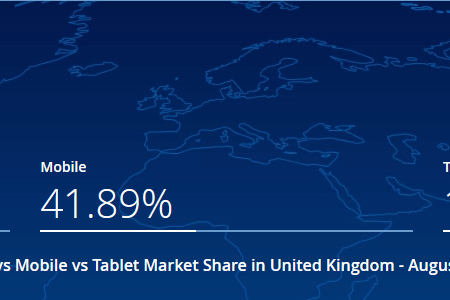
There’s no doubt that mobile Internet has grown to the point where the number of users now exceeds those using other devices worldwide. The crossover point happened in about October 2016. Reference: http://gs.statcounter.com/press/mobile-and-tablet-internet-usage-exceeds-desktop-for-first-time-worldwide In the UK and other more mature markets, mobile Internet has increased but Desktop users are still the largest single user group…
At this time of year, over-indulgence in the holiday season can often lead to a nagging feeling of needing to take things a little easier in January. People might start diets, new exercise regimes or do that largely debunked exercise of body detox. Detox for the body often involves eating very simple food or fasting…
We often get asked how to optimise a web page for SEO (search engine optimisation). If they are clients then we do this for them or we can train staff to do it themselves (see our 1-2-1 training course on SEO). It’s easy to talk in general terms about optimising a web page. It’s also…
Keeping up with your WordPress version updates is important, however do it with caution. WordPress is the world’s most popular Content Management System that powers 25% of the most popular websites (WordPress powers 25% of the world’s top websites) and has nearly 60% of market share of all websites. We use WordPress for many client…
The relationship between E-commerce and web design is often awkward. From the early days of Amazon, where the term ‘web design’ was at best loosely applied to the most basic of layouts to the over-designed insanity of ill-fated boo.com (https://en.wikipedia.org/wiki/Boo.com), e-commerce web design has always struggled to get the credit it deserves. The only key…
Your website will normally mirror the growth of your business and that’s why you need web hosting services that can accommodate those changing requirements. Start-ups and new businesses usually need to control costs carefully and match their web hosting specification so it copes with web traffic and other needs. If you use poor quality web…
Getting the true picture of your traffic data from Google Analytics helps you make better decisions about your website and business. A goldmine of data in Google Analytics There is a goldmine of information locked away in your data helps you discover what your customers are thinking and what they like. Here are some examples:…
When we use the term web design we don’t just mean the appearance of a web page. While features like design, layout, colours, fonts etc are important, your website isn’t (nor should it be) an online reproduction of a paper brochure. Thinking this way risks means missing out on opportunities to keep your audience engaged…
What a give away! We have the full presentation slides from Dinesh Fernando’s talk at the Rugby FSB breakfast networking meeting on Friday 22 September 2017. The title of the talk was “Promoting your business using SEO and digital marketing” and was a whistle stop tour of the main aspects of SEO and digital marketing.…
Even a little market research helps your business. Knowing what your customers and potential customers are thinking helps you adjust your messaging, come up new ideas for products and services plus find new markets. This should lead to more revenue and growth. Even if you use external marketing companies, it’s useful to be aware of…
On Friday 22 September 2017, you’ll get a chance to network with local businesses and hear a talk “Promoting your business with SEO and digital marketing” by Dinesh Fernando at The Rugby FSB Breakfast Business networking meeting. The 30 minute talk covers some of the essential elements of using the web to promote your business.…
Digital marketing and web development agency Creare have moved from Rugby, Warwickshire to new offices in Altringham, Manchester. This appears to be confirmed by the location address on their website on their contact page: https://www.creare.co.uk/contact-us Their Facebook page and Google My Business entry do still show their old address and haven’t been updated. They have…
The importance of backlinks in SEO cannot be stressed highly enough. Imagine recreating web pages for products on a well-known online e-commerce website such as Amazon. These would include all those desirable on-site factors such as optimised images, fast load times, clean code etc. If you hosted (see our page on web hosting and buying…
The search engine Google is still the market leader for online search. Worldwide it’s at about 92% market share, which falls a little to 90% in the UK in August 2017 (See http://gs.statcounter.com/search-engine-market-share/all/united-kingdom/#monthly-201608-201708 ). While Microsoft’s Bing is a credible search engine, it is still only used by 6% of users. What Googlebot does Therefore…
It’s easy to fall into the trap of designing a website purely for search engines. We know or can guess the many ranking factors and there’s often no major conflict between these and what users like. However that isn’t the most efficient way of boosting rankings. Search engines are always trying to figure out what…
The official government password advice from the National Cyber Security Centre has been updated recently and we think it’s a lot more workable than past information. We all have to contend with multiple passwords and we know that, ideally, they should be trade-off between something you can remember but is also hard to guess by…
Did you know that email marketing is considered the top marketing channel and delivers approximately $44 ROI for every dollar spent? That makes it more effective than social media marketing, with a reported 174 percent more conversions generated, according to Campaign Monitor. There’s a lot to consider when it comes to using email marketing effectively,…
There is a new data protection law due to come into force in May 2018, the General Data Protection Regulation (GDPR). The regulations cover many aspects of the handling of personal data and the systems to keep this secure. However this post covers how the GDPR affects existing email marketing lists and what extra measures…
The latest ranking factors report from SEMRush is based on a study of 600,000+ keywords in local databases. It provides a very useful insight into the 12 most prominent and controversial factors, chosen to shed light on what really impacts search results The main goal of the study was to identify any consistent patterns in…
WordPress 4.8 is out now. Named after jazz pianist and composer William John “Bill” Evans, WordPress 4.8 adds improved security, bug fixes and extra features. WordPress is the world’s favourite Content Management Systems, powering about 60% of websites. With that in mind, an update of WordPress to a new whole number version is an important…
One of Google’s main principles is its independence: it can’t be influenced by other companies and no one can claim a ‘special relationship’ with Google. However, you can, if your website has changed, ask Google to index your website. This doesn’t mean that Google will definitely re-index your website, it also doesn’t necessarily mean that…
It often seems that there are a bewildering number of types of website available for your business or project. Knowing some of the options helps you work out the best solution. This blog post helps you to identify what options are available, their advantages and disadvantages. When we discuss website design projects we try to…
Only a couple of years ago, I thought we might be seeing the beginning of the end of email accounts for business. Social media, the rise of mobile phone usage, instant messaging, texting etc all made me think that email would go the same way as letter writing. To misquote Mark Twain, reports of email’s…
A UK government survey has revealed that phishing and ransomware are the biggest web security threats for businesses. The survey was commissioned by the Department for Culture, Media and Sport. It found the following most common security breaches: Staff receiving fraudulent emails – 72% of cases Viruses, spyware and malware – 33% of cases People…
Although not strictly web design or web development related, we have heard of a new banking phishing scam that hits new levels of sophistication. Bristolian Helen Martin received an official-looking letter from her bank Halifax on 10 April 2017. The letter bore her correct identity and private online username, and the official bank letter-head. It…
If you are a business owner considering a new web design, there are many issues that you need to know. Getting a new web design is an exciting time for any business but you should be involved. The level of your involvement depends on how much time you can spare and how much you trust…
There have been some recent WordPress security issues which mean that you must get your WordPress version and certain plugins updated as soon as possible. Recent WordPress security issues addressed by Version 4.7.3 Version 4.7.3 of the content management system includes fixes for the half dozen flaws that could allow for, among other things, cross-site…
The major web browsers Google and FireFox are now marking certain web pages as insecure. If your website has pages that ask users to login or enter credit card information then, without web encryption using SSL, both browsers will alert users with warnings: FireFox: Chrome: This has only started happening recently (January 2017) with the…
Used properly Google AdWords provides companies with highly targeted, cost controlled advertising that can deliver excellent results. It’s Google’s main source of revenue and can be a powerful promotional tool when combined with building an excellent quality website and ethical search engine optimisation. Whenever anyone uses a search engine you will see the paid ads…
All website owners need to consider the backup of their website. Questions to ponder include who is responsible and can they quickly get a recent version of your website back on line should the worst happen? If your website is powered by WordPress then there are lots of WordPress website backup options and we’ll cover…
Setting shipping charges on your online shop is a big decision that affects your profits. If you run an online shop then you are used to making decisions that affect profitability: how much you pay suppliers for your products; the selling price and how you are charged and what you charge to ship products to…
In our earlier blog post we covered the importance of creating quality content on your website. To create content that is worth someone stopping and reading takes time to do well: Writing content that that is interesting, informative and engaging. Boosting the content with good quality, relevant images, video, infographics etc. Boosting the content with…
Content marketing is a frequently heard buzzword, but often misunderstood. Do it right and it can help boost the quality and quantity of your website traffic which is what every website owner wants. It’s generally a positive thing for your website rankings if you regularly add fresh content to your website. It signals to Google…
Most savvy web users know to look for the secure padlock icon (or the web address changing to HTTPS) when they are submitting private information. These are called secure pages which encrypt the information when it is sent so the information cannot be stolen by hackers. Google is encouraging website owners to make more use…
In the UK the consumer is protected by rules and regulations that govern product quality and consumer rights of return if something is wrong. Online consumer rights are even more stringent and need to be understood by consumers and e-commerce shop owners. Legislation like this does not need to be a burden for online shop…
It’s that time of year when it’s right to reflect on the most significant web design trends 2016 that will dominate 2017. Flat design dominates Flat design is a minimalistic design approach that emphasizes usability. It features clean, open space, crisp edges, bright colours and two-dimensional/flat illustrations. Even at times when we could ignore mobile…
The Google algorithm is a true wonder of the modern world. It decides, from the instant a search is typed, what to display in the search results and the order they appear. It works well enough for Google to become a verb and the starting point for any research or homework. We generally trust what…
Responsive web design makes your web pages display and work properly with all devices: desktop PCs, laptops, mobiles and tablets. Responsive Web Design is about using CSS and HTML to resize, hide, shrink, enlarge, or move the content to make it look good on any screen. Google are very clear on the benefits of responsive…
Quality content for SEO is fast replacing all those old, slightly dubious, techniques. Some still cling to these tricks but Google is finding ways of rooting them out and downgrading the websites that use them. While there are still plenty of technical challenges and work to be done on the latest SEO techniques, quality content…
Copycat websites are still defrauding people attempting to buy essential Government services. They appear official but often charge an extra fee for services offered by Government departments or local authorities such as the following: Passports European Health Insurance Card (EHIC) Driving licence renewal ESTA (Electronic System for Travel Authorisation) – US travel visa Driving theory…
Major search engine Google has a new online course aimed at helping small business owners and digital marketers improve their skills – Google Digital Garage. It covers everything a small business needs to know about using the web to promote their business. While the Internet is awash with advice and many companies offering digital marketing…
On Friday 4 November 2016, Google announced that it was experimenting with Mobile-first indexing. This means that it is considering looking at the mobile version of a website first when evaluating its relevance to search users. This reflects the general evolution of search that started with the mobile friendly update of April 2015. This is…
As it’s Halloween, let’s delve into the darker side of web design and reveal our top 5 scariest things your web designer can say to you. We have put these in roughly descending order, but to us they’re all quite scary. When faced with this type of statement don’t split up and search for clues…
Words still underpin the world wide web, but humans like images too. Search engines also like images, not because search bots have suddenly developed an appreciation of art and design but because it’s widely accepted that images improve the web user experience. It helps to make the text more readable and illustrates the content. This…
In an earlier blog post we covered the importance of finding long tail keywords to include in your website. As well as explaining your products and services to human visitors, the words you use signal to search engines what your website is about and what search terms trigger its display in search engine results pages…
In this blog posting we’re covering the importance of long tail keywords, why you need them on your website and how you find them. Long tail keywords are phrases of about three or four words which are specific to whatever you are selling or promoting. Whenever someone uses a highly specific search phrase, they tend…
The recent Google Penguin update is a key change to the Google algorithm that will affect your website. To the uninitiated, the algorithm is the magic formula that automatically decides where to rank a particular page in the Search Engine Results Pages (SERPS). If you can setup, add good content and promote your website in…
When you design or write a brief for a new website design it’s very easy to forget the user. It’s difficult to test website user experience, it’s very easy to get sidetracked by your own views on colour schemes, branding and other features. The most important stakeholders in any new web design or enhancement to…
Google Search Console is a free service that provides vital information on how Google crawls and stores information about your website. It is free, but you will have to prove ownership by verifying your website through one of these methods: Linking with the Google Analytics Account for the website Uploading an html file that Google…
If you have a business website then it’s likely you’ll also have social media sites such as Facebook and Twitter. Apart from time to update and setup, social media sites are free and have the potential to generate interest in products or services if used properly. They can also be a great way to launch…
It’s a common problem. Your competitors are launching shiny new websites and by comparison your own website is looking a little shabby (and not in a trendy shabby chic way). Also there are various business processes that could be done better and improvements to the website would help boost productivity and save money. So…
SEO stands for “search engine optimization” and choosing your SEO company wisely can help boost your business. SEO is not a simple, one size fits all process and can mean different things to different businesses and website owners. While each situation is unique, knowing a little more about SEO basics can help you become a…
There are many factors that should influence you when choosing your web design company. It’s a big investment of resource both in direct costs and time so choose wisely. Also most businesses rely on their website both to portray the right professional image and promote services directly to customers. Thankfully it doesn’t have to be…
If you own or run a website then you need sound information to make good business decisions and data from Google Analytics can be a great help. There is a wealth of data available but in this blog post we’re focusing on how to use Google Analytics to check the busiest times on your website.…
One of the cornerstones of SEO (search engine optimisation) is building good quality website backlinks. These are websites and web pages that have links to your website and usually have the beneficial effect of boosting your search engine rankings. Recently a senior Google search engineer was on a live Q&A event and was asked to…
August 2016 saw the popular content management system WordPress updates to version 4.6. In keeping with the established tradition it named after a Jazz great, this time “Pepper” in honor of jazz baritone saxophonist Park Frederick “Pepper” Adams III. It is available to update through your dashboard and you will be greeted with a message…
Cutting the costs of running your business is important but don’t make the mistake of making false economies when it comes to key areas like website and email hosting. You may save money with free email accounts from Yahoo, Hotmail etc, cheaper sponsored website hosting but you risk the following: Poor unprofessional reputation from Yahoo,…
Writing content for your website is hard to do well. We all like to think we communicate effectively, but the words and phrases you use have a bearing on how the website ranks on search engines which is where keyword research plays and important role. In this day and age, Google is relying more and…
We offer fast and reliable web hosting to suit all business sizes. Our shared web hosting provides great value for money for start-up and small businesses as we help get you online, keep you online and then help you use the web to grow your business. As your business grows and web traffic increases, we…
A recent project for web development and SEO (search engine optimization) has been the UK record shops directory All Good Record Shops. At the time of writing, the website is currently halfway up page 1 on Google. Thus is after being effectively unranked (over position 100) as a new website for important keywords at the…
Any creative process will involve some degree of trial and error and web design is no exception. Eliminating web design mistakes completely is all but impossible, however you can avoid falling into common traps and getting as much right as possible. Unlike a printed brochure or a video, a website can continuously evolve and improve…
We’re pleased to announce the launch of our first mobile app development for Rugby taxi company Dial-a-Cab. The app is currently available for Android devices only on Google Play, although we’re working on a version for the iTunes app store for iPhones. Dial-a-Cab is an established taxi company in Rugby who have been operating for…
If you use WordPress as your Content Management System then you’re already well placed to rank highly on Google. There are many factors that help to improve your page rankings and we have covered these extensively in previous blog posts (see Google ranking factors). When Google publicly talk about ranking factors they boil it down…
Since the beginning of 2016, Google has been using its artificial intelligence system called Google Rankbrain to help it process search results and guide its core algorithm to deliver more relevant organic search results. Along with good quality content and links, Google Rankbrain is one of the key areas that influence where your website will…
The latest WordPress release doesn’t provide much additional functionality but is highly recommended. It provides fixes for eight security bugs and 17 maintenance issues. The most critical security flaw the project fixed is a bug that allowed attackers to change a user’s password by leveraging stolen cookies. The WordPress security team’s Michael Adams discovered this…
Our latest web design is for the Crick Community Sports Centre. This is a new sports facility serving Crick and neighbouring villages in Northamptonshire, Warwickshire and Leicestershire. The Crick Community Sports Centre has benefitted from various grants and funding from Sport England, local councils, local property developers and the Premier League Facilities Fund. View our…
WordPress is the most popular Content Management System in the world with the latest statistics showing 60% market share. This means that there are a lot of websites out there making a very wise choice as WordPress is a secure, easy to use CMS that is well supported by its inventors Automattic. It also has…
The page title or title tag is one of the most important features of your website content for SEO. In theory, the main search engines Google and Bing pick up on keywords in the Title tag and page contents to work out what your page is about and whether and where it should be shown…
Google analytics is a free tool that provides a wealth of data about your website. While you would hope that most of the website visitors are real people who are interested in your products and services there will be some traffic that you might want to exclude from your analytics reports as it skews the…
Our latest website is a new responsive web design for Rugby taxi company Dial-a-Cab – http://www.rugbytaxi.co.uk/ The old website was very successful, with relatively high levels of traffic generating a lot of enquiries by phone and users filling in and submitting the booking / quote form. The details were captured and sent by email to…
When you buy a domain name you will be tempted with many alternatives to the conventional TLD (top level domain or domain extensions) or choice such as .com, .co.uk. These so-called generic Top Level Domains, gTLD, now include all manner of weird and wonderful additions such as .guru, .building, .singles etc and the range and…
If you run a website where you need to make regular changes to the content then a Content Management System (CMS) is the most cost-effective solution. And the ever growing WordPress market share shows that it is a dominant player in crowded open source CMS market Why use a Content Management System? We often bandy…
Web design is a surprisingly controversial subject and web design trends can provoke much debate. While a piece of code fulfils its purpose and works or doesn’t (although some may argue about speed and efficiency of achieving that purpose), web design trends can make a project slow down if stakeholders disagree about a colour shade…
It can get overlooked with the rise of other communication methods, but email remains a significant part of how you and your staff communicate. Therefore your email hosting is a significant part of your business and one you should get right, working closely with your web hosting company and IT contractor. Here are a just…
In the annals of web hosting history, this particular TITSUP (Total Inability To Support Usual Performance) is right up there with the best. On the morning of Saturday 16 April 19, 2016, someone at the 123-Reg hosting provider ran a script that had a catastrophic error resulting in it deleting the servers and websites of…
The latest WordPress version 4.5 ‘Coleman’ is now available for download. Named in honour of jazz saxophonist Coleman Hawkins, WordPress 4.5 has several new features that help you streamline your workflow, whether you’re writing or building your site. The most obvious improvement is the new inline editing of links feature. Simply highlight a piece of text,…
As we have discussed in past blog posts, Search Engine Optimisation or SEO should be integrated early into your new web design project. If it is bolted on as an afterthought, then this could result in the unpicking of work already done which could increase your costs unnecessarily. There are many factors that should be…
There will be times when you need to move WordPress websites to a new host. It’s hopefully something you shouldn’t need to do very often as any change has the potential to cause a little disruption. However, if handled properly, it should be a seamless transition giving you the benefit of using a new web…
There was a live Q&A recently involving some major figures in the digital marketing and SEO world, and also crucially included Google’s Andrey Lipattsev, the Search Quality Senior Strategist at Google Ireland. Andrey provided some informative insights about what should and shouldn’t work regarding ranking signals and gave a refreshingly straightforward answer to a very…
One day you may go to your slick and shiny WordPress website and be presented with what is termed the White Screen of Death. This may provoke a little panic if you’re seeing this for the first time but the important thing is to stay calm. There are a number of tried and tested steps…
What would happen if your web hosting company disappeared overnight? Your website, email accounts, customer information and domain name registration could be gone or inaccessible. While this doomsday scenario is unlikely, you need to have a website backup plan and have considered what you need to backup, how often and how much space you will…
It’s all too easy to think that once you have gone through the process of developing a new web design and website that this process alone will increase web traffic, enquiries and orders. Getting online with a new web design is merely the start of the journey and there is much work to do on…
So farewell, then, Google AdWords side ads. Since the 19 February 2016 Google is no longer showing AdWords ads on the right hand side of its search results pages. Here’s a search for ‘london hotel’ carried out before the 19 February 2016 on a desktop: The same search now has this right hand panel removed.…
Understanding how Google search works helps you make better decisions on improving your website. As a website owner you won’t be short of advice or the offer of services so you need to be sure of what to ignore and to what you commit resource. Optimising a website is a long but rewarding process if…
We are currently working with a client in an ongoing search engine optimization project where we are aiming to boost their search engine ranking in the highly competitive property market of Coventry and the West Midlands for the phrase ‘coventry estate agents’. At this early stage we have looked at the top websites that rank…
When it comes to the design, branding and functionality for a new website using WordPress (or in fact any good CMS), there are two major choices you need to make: custom web design or commercial website themes. The popularity of WordPress means that there are many specialist developers producing excellent off-the-shelf themes. Equally there are…
A very wise person once said “if you can’t measure it, you can’t manage it”. While there are times when you trust your gut feeling, it’s useful to have first gathered all the relevant data so you make an informed decision with the best available information. The most commonly used web statistics package Google Analytics…
If you’re a WordPress user then you need to update your WordPress theme regularly. This is in addition to making sure your plugins and the WordPress version are kept updated. For example, in the last three months alone there have been at least three WordPress core updates which means we’re up to version 4.4.2 at…
Imagine if your website and website files disappeared overnight. Not a nice thought and thankfully rare but that is the nightmare scenario you should consider when you evaluate the risk arising from any business interruption. That is why having a plan in place for website backup is important and you should discuss the issue with…
Google continuously updates its algorithm and the most recent update Google Panda (named after Google software engineer, Navneet Panda) is now live and actively impacting the ranking of websites on SERPS. This update is not to make our lives as website owners, web designers and SEO consultants difficult but to deliver better and more relevant…
In our previous post How to check if your website is down (and what to do) – part 1 we looked at how to check whether your website is down and some free services and methods that enable you to check, independently of your local connection. Once you have established that your website is not…
So you have invested heavily in a modern, shiny website that is starting to deliver real benefits and suddenly your website is down. This could be a 404 page error, Internal server error, the site looking different (not in a good way) or simply a blank screen. Either way it’s a chilling sight as you…
As we’re only just into 2016, we think it’s right to have a very tempting third off web hosting offer to help you squeeze your business costs and get online for less. To qualify for a third off your web hosting you need to do just one of the following: *Once you do any of…
In our previous blog post – Web traffic sources and how to measure what is working using Google analytics – part 1 – we looked at the main sources of web traffic. These include direct traffic from people using your web address, links from search engine results pages, social media and other websites, email marketing…
Web traffic is, in theory, the holy grail of running a successful website. The more you get, the more likely your are to generate more enquiries or sell more of your products or services. This blog post describes the most common sources of web traffic and how you can assess what is working and where…
It has been confirmed by various senior Google personnel that the latest Google update was not the expected update to Penguin (a Google algorithm update aimed at decreasing search engine rankings of websites that violate Google’s Webmaster Guidelines by using now declared black hat SEO techniques involved in increasing artificially the ranking of a webpage…
Email marketing is sometimes under-valued as a marketing method. This is partly because of brash new kids on the block like social media, PPC and search engine optimization but it should never be dismissed and should be part of your marketing mix. Used properly, it is one of the most cost-effective ways of getting offers…
Recently we have had some issues with established client websites that have out of date Sitelinks in the Search Engine Results Pages (SERPS). This blog post covers what sitelinks are and how to fix outdated sitelinks. When Google presents a particular search result link it may also choose to include additional links from your website…
Having a reliable web hosting company is a crucial part of running a business or having a strong web presence for your brand. Your web hosts will keep your website online, manage your email addresses and maintain your website security so choose wisely; a good web hosting company will keep the worst of the Internet…
Here we summarise the most important SEO trends (search engine optimization) for 2016, to help you boost the position of your website on SERPS (search engine results pages). Google’s real time Penguin algorithm The Google algorithm will be updated in early 2016 so it reacts in real-time to sites that attempt to spam or clean…
At this time of year, self-proclaimed and bona fide experts start to make predictions about how the latest web design trends will influence the look and feel of websites into 2016. A big influence on web design trends was the launch of Google’s mobile friendly update in April 2015. This means that a Google search…
Email Marketing enables you to create professional-looking emails that you can then send to your customers and contacts regularly. The message can be ‘hard-sell’ with links to specific products or offers but it can also be softer sell such as general advice, so you get your brand in front of customers in return for useful…
So what are the best ecommerce platforms for SEO and sales? A lot depends on where you are with your business, your financial objectives and your budget for development and administration. First a bit about my background. I was involved in developing e-commerce from the early days (around 2001) when everything had to be programmed…
If you have a completely new website with a new domain name then you have the challenge of getting this indexed by the main search engines Google and Bing as soon as possible. You could take the ‘Build it and they will come’ approach but that isn’t really an option if you want to get…
Popular Content Management System WordPress will shortly have a a major update to the new WordPress version 4.4. WordPress users are invited to test the version 4.4 Beta 2 release in advance of the Dec. 8 full release. For users the following new features will be available: A new 2016 theme Since 2010, WordPress comes…
If you are thinking about a new website development or revamping your old one then it’s crucial that you provide a well thought out brief for your web developer. This needn’t be a long and complicated document, a carefully composed paragraph is often enough, but you need to have thought about your main objectives. We…
Recently we posted a summary of SEO agency Northcutt’s excellent review of Google ranking factors which aimed to debunk or confirm the many actions and tactics that boost the ranking of your website in search engine results pages (SERPS). Our original blog post is here – Google Ranking Factors for SEO by Northcutt – exposing…
SEO (search engine optimisation) trainer and Danny Richman published an opinion blog piece Why you Should Never let your Web Developers Host your Website. As established web developers and web hosts with many satisfied clients, we at Web Growth Consulting would obviously take issue with being tarred with same brush as a company that provided…
Most people running a website would like to find just a few key SEO (search engine optimization) actions that can help catapult their website to the top of the rankings on Google, Bing, Yahoo and other search engines. Real life is rarely that straightforward and to do this effectively there are potentially many actions you…
If you are the registered owner of a domain name then you could be targeted by some malicious emails purporting to be sent from your domain registrar. These are so called ‘phishing’ emails. These emails are part of a large scale phishing scam, targeted at a large number of domain registrars. You may find that…
Web hosting is simply a computer that allows users to download or serves your website files to a user. It often has bundled software to enable sending and receipt of emails. This is simple and, in theory, you could setup your home computer so it hosts a website but that’s a very bad idea for…
If you work for or run a small to medium sized company then you have to be prepared to take on tasks that, let’s put this politely, aren’t necessarily in your core skill set. One of these crucial tasks is making sure your website communicates the right message and generates business through direct sales or…
If you are considering a website redesign then you need to make sure you plan ahead to avoid potentially devastating SEO issues. While you may have a new and shiny website you risk losing your hard won Google rankings if the process hasn’t been managed properly – a website redesign can be a huge success – or it…
A Top Level Domain (TLD) is the extension after your main domain such as ‘.com’, ‘.co.uk’ or ‘.org’. Originally they were organized into three main groups: Countries, Categories, and Multi-organizations, but the potential list is growing all the time with new so-called generic Top Level Domains – gTLDs – being approved by Internet Corporation for Assigned…
From recent work by SEO and Internet marketing agency Northcutt, we know that a domain name can have a strong influence on where a website will rank in the search engine results pages (SERPS). These are called ranking factors and the Internet is awash with advice on what will or won’t make your website rank…
For web designers and web developers, the words ‘Internet Explorer’ still has the effect of triggering flashbacks of feverish activity into the small hours trying to resolve cross browser problems in time for a new website launch. Although bundled with the Windows operating system and widely used, Microsoft’s web browser elicits a hostile reaction from…
As a busy business owner you probably haven’t got the time to wade through the huge volumes of information about making your website generate more business. A lot of the information is aimed at SEO or digital marketing professionals so could either be very technical or packed with lots of obscure jargon. What we have…
Recently there has been a flurry of rumours about what Facebook will or won’t do regarding charging for privacy, taking over the copyright of your photos or adding a dislike button. These rumours aren’t true and posting a cut and paste message in your status just wastes your time, your friends’ time and lessens the…
If you regularly read advice about the factors that makes a site rank higher in Google’s organic search results then you’re likely to end up more confused – Google Ranking Factors. Some might endorse one type of tag or keyword usage but you’re unlikely to get much validated cause and effect advice along the lines…
Our latest web design Original Rugby is the brainchild of creative carpenter and furniture designer David Cox of Woodworks of Rugby. Original Rugby provides a range of bespoke and off-the-shelf gifts made from reclaimed timber that commemorate and celebrate the sport of Rugby. The products are made from reclaimed timber and are sourced and manufactured…
Web design combines meeting technical, design and business challenges, while ensuring that your website promotes your services effectively and gets you found on Search Engine Results Pages. While the world of web design trends aren’t usually as fickle as some, there are some common themes emerging that are a response to how the general public…
Some of the big hosting companies like Go Daddy, 1&1 Internet and Wix are pushing their website building services as cost-effective add-on to their hosting and domain services. The costs usually involve a regular fee which vary between £6 to £30 per month depending on what additional services you might need.This might initially compare quite…
SEO platform, Moz, has released its largest-ever study on ranking factors for SEO that influence where your website might rank on search engines. Unlike the Searchmetrics study from two weeks back, which simply described methods for getting ahead on Google, Moz actually ranked the ranking factors. The comprehensive biennial study was conducted by interviewing 150…
We all want our websites to rank higher on search engines, particularly Google and are frequently thinking up ways of getting higher on Google or generating more web traffic. It is worth taking some to understand Google and how it has become so successful as this helps us work out why they might rank one…
Major SEO and digital marketing company Searchmetrics has just released the 2015 results of its study into SEO ranking factors, i.e. what technical, marketing and social media measures have the greatest influence in where your website ranks in search engine results pages – SERPS. They enterprise platform looked at the top 30 search results for…
We’ve all sat there viewing loading icons rather than content and cursing the website owners for allowing their valuable information to take longer than it needs to display. Like an over-garrulous acquaintance that can’t get to the point, the slow loading web page diminishes the user experience but it also can prevent your site ranking…
Once you have taken the plunge and decided to commit to a new web design, there are some important considerations to make sure that your shiny new web design initially maintains and then boosts your ranking on search engines. That has to be the ultimate aim of any website redevelopment. Here are 5 common errors…
Web design is always an important subject but in e-commerce websites it can make a major impact on your profitability. New initiatives and changes to your website need to be assessed for how they will contribute to the bottom line, short, medium or long term. Here are 5 ways on improving your e-commerce web design…
One of our long standing clients, the reliable Rugby based taxi company Dial a Cab is expanding its fleet of vehicles to include minibuses which can take up to 8 people at one time. The service is aimed at those needing more room and seats for transporting people and luggage such as airport transfers, nights…
After you have used Google Analytics to review your website data you should have a clearer idea of when you get the most visitors and the devices being used to visit your website. This is important information that will help you plan how your website needs to change to encourage more visitors. As well as…
Now that Google has rolled out its mobile friendly update (live on 21 April 2015), it’s becoming increasingly important to know how this might be impacting your web traffic and whether the measures you have taken are working or you’re suffering a loss of web traffic. Google’s mobile friendly update means that a Google search…
Foster Lewis and Co is a established, family run estate agent and letting agent in Coventry. We designed the website so Foster Lewis and Co staff can add properties so can then be found on website. The web design also integrates Google Maps locations of each property so a user can click on the marker…
Google will shortly roll out a very significant change to the way it ranks websites as it recognises that more people are using mobile devices to access the Internet. This means that a Google search on a mobile device such as a smartphone or tablet is likely to rank mobile friendly websites higher than websites…
There is a wide range of hackers: some are just mischievous, testing their skills against your security measures but many want to steal your personal information for more nefarious reasons such as selling on or accessing important accounts. According to the UK Government’s 2014 cybersecurity survey, 81% of large businesses have suffered malicious data breaches.…
Celebrity chef Jamie Oliver’s website was recently discovered to be harbouring malicious software for a second time this year. Two security companies have independently found evidence that hackers put malicious code on the site which meant that anyone visiting using a vulnerable browser risks losing login names, passwords and other data. A spokesman for Jamie…
Our long-standing website design and web hosting client Trust for Africa’s Orphans has updated its website with new videos that illustrate some recent successful projects that were originally sponsored by Comic Relief. We have uploaded the videos to their You Tube site – https://www.youtube.com/user/Trust4AfricasOrphans – and embedded the video in the home page and other pages…
There are hints but not clear indications from Google that mobile friendly websites may be ranked higher than older style websites. When you search Google using a mobile device, sites that are deemed mobile-friendly are currently accompanied by the words “Mobile-friendly” in grey. The jury is still out on what Google is looking for and…
Here’s another recent web design for Phil Preston photography who specialise in Wedding photography, christenings, portraits and buildings. The website uses popular content management system WordPress and is a responsive web design which means that it displays and automatically adapts to work properly different Internet connected devices including PCs / Laptops, Smartphones and Tablet computers.…
Recently NASA updated the famous pillars of creation image taken by the Hubble telescope to commemorate the instrument’s 25th year in orbit. The image is of the Eagle Nebula, or Messier 16 and shows ghost-like clouds of gas and dust, bathed in the blazing light from a cluster of newborn stars. It’s a breathtaking and…
The new EU VAT rules came in to force on 1st January 2015 and apply to anyone selling digital products to people and businesses in EU countries. They also don’t set a threshold income level so even the smallest business will have to charge VAT. This particular feature has affected aspiring musicians as they now…
Inspired by Google’s recently issued search trends of 2014 – http://www.google.com/trends/topcharts?hl=en#date=2014&geo= – here is a snapshot of some important trends and web statistics for anyone using the web to promote their business. Responsive vs fixed width websites [visualizer id=”1252″] The number of responsive web designs in the top 100 Alexa most popular websites has increased…
Small traders using the Amazon marketplace were left nursing losses as the RepricerExpress software mistakenly priced many items at 1p, leading to opportunist consumers buying up multiple items. In normal circumstances an online trader, spotting a pricing mistake, is within their rights to cancel an order as long as they offer a full refund. Unfortunately…
Here’s one of our recent web designs for Leicestershire / Warwickshire based wedding photographer – Aaron Doyle Photography. Aaron needed a website that performed a number of different tasks. First and foremost the website should be an attractive showcase for his past work on weddings, proms, special events and portraits but it also provides several…
Our world is brimming with technology, helping us be more productive in our working lives and stay in touch with friends and family. We recently found this article – 100 Technical Things Non-Technical People Can Learn To Make Their Lives Easier – that provides some important facts and figures to help us use our technology…
You may have heard about Shellshock which is a serious bug affecting potentially milllions of computers around the world. The flaw has been found in a software component known as Bash, which is a part of many Linux operating systems as well as Apple’s Mac OS X. The Shellshock bug can be used to remotely…
Bob Cheshire is a very talented concept artist who has worked on computer games, museum exhibitions and in recent years as concept artist for blockbuster movies such as Wrath of the Titans, Thor 2 and the record breaking Guardians of the Galaxy. We recently revamped his website to go fully minimalist in design terms but…
Clothes are the most popular type of product bought online according to new figures from the Office of National Statistics, bought by 49% of all adults. Some 74% of adults had bought goods or services online this year, according to a snapshot of the way the internet is used in our daily lives.Almost half had…
At at time when online sales are growing rapidly for most companies, Marks and Spencer’s have experienced falling online sales despite a reportedly £150 million overhaul of their website. On the surface, their strategy was promising with an increased focus on video and magazine type content to interest visitors. This is a proven way of…
Google is always tweaking the way it ranks websites so it improves their users’ experience. It doesn’t care about you or your website, only whether it deserves to rank higher because it matches a continuously changing set of conditions so people using Google will get their query answered more effectively. Recently it has taken to…
We are delighted to welcome our latest SEO (search engine optimisation) client, cast iron radiator manufacturer and suppliers, Beaumont Cast Iron. Over the coming months we will be making changes to their website and adding new features to help the company report on the fascinating breadth and depth of projects and clients drawn from up…
We’re really proud of our latest web design for Coventry estate agents Foster Lewis and Co. This is a busy family run company with an excellent customer service and local reputation. Their new website uses a responsive web design so displays and works properly on all Internet connected devices including PCs and laptops, smartphones and…
The Heartbleed bug has drawn a confused and confusing reaction from techies and commentators alike. Some have said change your passwords immediately, others have advised checking with affected websites before doing anything. The bug has affected many popular websites and services — ones you might use every day, like Gmail and Facebook — and could…
In the past, web designers put a particular focus on showing off their skills by packing sites with flashy illustrations and animations that supposedly wowed their visitors. Then came a shift toward skeuomorphic design, which attempts to bring real life to the screen, with faux-realistic textures, drop shadows and real object characteristics, making your computer…
No one is or should ever be completely satisfied with their website. There are always things to improve and issues that need solving long or short-term. Here’s a list of 5 things you or web developer can do this week to improve your website so you get better information about your web traffic, your users…
UK Retailer Marks and Spencer has recently taken back control of its online store from Amazon, bringing it in-house and putting greater emphasis on editorial content and daily blogging of magazine style content. Laura Wade-Gery, multi-channel and e-commerce director for M&S, said that shoppers were 24% more likely to buy from the website if they…
In the last few months we have had to help out some business owners on issues with their domain names and web hosting. In some cases they had relied on a ‘friend’ or acquaintance buying a domain on their behalf and then either losing touch or actively falling out with the person. This left them…
Despite intensifying competition from Microsoft’s Bing and more specialist search engines, Google remains the most important Internet search tool. Anyone running a website for business needs to understand the key factors that boost a website’s ranking so you can make the right decisions about your marketing and SEO (search engine optimisation) efforts. No busy entrepreneur…
Booming online sales boosted revenue for Argos and Dixons as sales grew by 3.8% and 5% respectively. Business over the internet made up almost half of Argos’ sales as shoppers made more purchases using tablet computers and mobile phones. Both businesses were written off as dinosaurs a few years ago but have revived themselves by…
The BBC news website is a very popular information source regulalrly achieving top ranking in the UK and abroad. To maintain this appeal, the BBC has recognised that they need to cater for different devices. They have made their news site responsive so it adapts to different devices and created specific apps that people can…
Recent trends of falling PC sales and rising use of tablet for e-commerce should prompt website owners to review how their website displays for different devices. UK retail sales of goods and services via mobile devices are expected to more than double this year to £8.17 billion, accounting for 18% of total UK retail e-commerce…
Wishing you all a very merry Christmas!
It does change, but in recent weeks we have been consistently at the no 1 position on Google for three of our target keywords: [checklist type=”arrowed”] web design rugby seo rugby email marketing rugby[/checklist] Although we have clients all over the country, these keywords and phrases represent our main target area for growth as new…
A recent survey by Richman – SEO training in London and CINT surveyed 500 small businesses 500 UK business owners (with fewer than 100 employees) to find out what they understand and feel about [tooltip title=”The process of setting up and promoting your website so you improve its rank in search engine results pages for…
We have in our hot little hands 20 Google AdWords vouchers where new accounts* spending £25 will get a £75 credit courtesy of Google. For the right business or marketing campaign, Google AdWords can be a very cost-effective way of advertising your business. You only pay when someone clicks on your advert and have control…
It can start with an innocuous looking email from your bank but ends up with you being locked out of your own computer. This happened to Sarah Flanders*, a 35-year-old charity worker from north London, who didn’t think twice about opening an email from paymentsadmin@lloydsplc.co.uk. Unfortunately the email contained malicious software that immediately began encrypting every file on…
Just taken the Google Analytics Fundamentals course and passed with flying colours! Google Analytics is a free tool that gives website owners a huge amount of valuable information about your visitors, including the following: referring websites physical location including country, city, town and region search terms used to find your website devices used such as…
Rugby based mortgage adviser Lloyd Richards has another string to his bow as the author of business marketing title The Referral Brain and speaker on the value of referrals and networking. The website uses a responsive web design which means it adapts automatically to the the viewing device whether it is a PC or laptop,…
Global shipments of personal computers (PCs) have hit a five-year low, according to new figures from the research firm Gartner. This should make all website owners seriously think how their website displays on multiple devices and what action they are going to take to ensure they aren’t missing opportunities. PC sales have now fallen for…
If you have a business with even a half decent web presence you’ll no doubt be regularly assailed by companies offering SEO (search engine optimisation) services that they claim will transform your business, boosting your web traffic and generating enquiries and sales. While many will happily take your money and never deliver on their claims,…
Despite recent marketing campaigns by its main rivals Bing and Yahoo, Google remains the dominant search engine in the UK with about 90% of the market. Although there has been a very slight fall in the year, it is still the main way people find services and products, so you should ensure your website has…
If you think your website should rank higher then Google wants to hear from you. Google has been making substantial changes to the way it ranks websites in its search results called the Penguin update (see our earlier blog post Google’s latest ‘Penguin’ update will affect all web designers and website owners). While many websites…
Google AdWords has been around a long time and, in our view, is one of most cost-effective ways of advertising your business. Using the features it offers and the data it provides you have levels of spending control and targeting that few other channels can offer. This level of control allows the account manager to…
Despite the best efforts of the US and UK governments, the English speaking world has reasonable levels of freedom of speech. Usually we can criticise the authorities without fear of being carted off to the local Gulag, and, although we know some monitoring does take place, our web activity is free from interference unless it…
Read the business pages or go to a networking meeting and you’re bound to find someone telling you about the latest trend in social networking or SEO. “Oh, you simply must add a profile on the latest “Faced In +”, They gush, “or you’ll be missing out on valuable business and by the way our…
The acronym SEO – search engine optimization – first appeared in the 90s when it meant little more than stuffing your website pages with keywords and getting links from dodgy websites. Google was still a research project and a lot of companies wasted a lot of money on harebrained schemes to promote their websites. A…
Google have released the latest development in their algorithm that automatically decides where a website ranks in search engine results. Called the Penguin 2.0 update, this will have a major impact on website owners, web designers and SEO (search engine optimisation) consultants. Chief Google Engineer Matt Cutts said “It’s gonna have a pretty big impact…
Mobile and Tablet PC website usage has exploded in the last couple of years and business owners should be planning for how to deal with this trend now. The latest statistics from the Monetate Q1 2013 Ecommerce Quarterly gives an insight on smartphone vs tablet vs desktop share of audience for large e-commerce brands. This source is…
Online shop ECO Arcade sells an exciting range of solar powered, energy saving and educational products for the environment. We have just revamped the design so customers can find relevant products buy more easily. Also, we have improved the administration so the vendors can add or revise products more easily and also set up special…
The coldest March for 50 years kept many shoppers at home, but strong online sales boosted Next’s sales by nearly 9%, leaving overall group sales up 2.2% despite poor performing shops. Shop sales slumped by 1.9% in the 14 weeks to 4 May. The company said: “It is apparent that the poor March figures were…
On Tuesday 23 April a tweet from Associated Press (AP) told the world that the White House had been attacked and Obama had been injured. The tweet was of course a hoax as the Twitter account had been hacked but it caused some temporary chaos. The Dow Jones Industrial Average dropped 144 points between 10.07am…
Here are 12 Internet firsts that helped shape history: 1. The first email was sent by Ray Tomlinson to himself in 1971. “The test messages were entirely forgettable. . . . Most likely the first message was QWERTYIOP or something similar,” he said. 2. The first domain name ever registered was Symbolics.com on March 15,…
The use of smartphones and tablet PC’s has expanded rapidly in recent years. More and more people are using these devices to view websites so you need to have a plan of action on how to cater for this type of potential customer. There are three options available: #1: Do nothing Most people using mobile…
In our humble opinion, our latest email newsletter is a bit of a cracker packed with useful information on helping your business grow: Web growth consulting newsletter March 2013. Join our mailing here: Sign up to our email newsletters.
Criminals are using scam emails that purport to be from PayPal to steal money from unsuspecting victims. According to police reporting service Action Fraud, there has been a glut of scam PayPal emails since the 1st February 2013 which aim to lure people into passing over their details. One victim recently went public with her…
We have a domain name for sale that may be of interest to the right business: http://www.copperscrap.co.uk/ Please get in touch with us if you have any questions using our contact form.
We’ve been busy updating our portfolio with a selection of recent and updated web designs. Our own website has also been redesigned and is now responsive, which means it adapts to the device being used. The website is viewable and functional on PCs, Laptops, Tablet PCs, Smartphones and ‘Phablets’ (phones with larger screens, nearing small…
Microsoft’s Internet Explorer’s market share has now slipped behind Google Chrome after years of decline. For a long time, Internet Explorer (IE) has been beset by problems with security and compatibility leading to other faster, less bloated web browsers gaining ground. This is despite IE being bundled with all versions of Windows and users having to…
All business owners know the value of tracking where your customers first found you. Whether it’s Yellow Pages (or Hibu as it’s about to become), direct mail or display advertising, you need to know the cost of gaining a customer and what is generating the best ROI (return on investment). This is no different when…
We have a fantastic special offer closing on 31 March 2013, where a spend of £25 gets an extra £75 of credit on Google AdWords advertising. As a member of the Google Engage programme we can provide expert advice: researching the best keywords, setting up your account and showing you how to manage your advertising.…
Here’s the link to the presentation by Dinesh Fernando at the FSB Breakfast meeting in Rugby on Friday 25 January 2013. Using the web to grow your business This was a short ten minute presentation on the options available for using the web to promote a small to medium sized business.
The start of 2013 has seen former retail giants, HMV, Jessops and Blockbuster all slide into administration with the loss of jobs and very little prospect of a return without radical restructuring of their business models and brand. The Future of the High Street report was commissioned in 2011 as pressure mounted on the Government…
The UK is top of the league of Internet shoppers. According to a recent Ofcom survey UK shoppers spend an average of £1,083 a year online compared with Australia which spends the second highest at £842. The report found that eight in ten UK internet users (79 per cent) said they had ordered goods or…
Many SME business owners would have mixed feelings on the public embarrassment of Starbucks, Google and Amazon over their corporation tax affairs. We all have to pay tax on profits and this can be offset legitimately by the real costs of doing business: hardware, travel costs, wages etc. In this case, all three companies pay…
If you use our standard hosting then your standard mail box size is 400 MB, which should be enough for most office based users who regularly download their emails to their PC or laptop. If you travel a lot and rely on your smartphone for emails then you should probably consider upgrading to one our…
Some of our clients have been contacted recently by a company purporting to represent Microsoft and claiming that their computer has downloaded a virus which is broadcasting your personal information online. The company is aiming to sell its security software which will, they claim, remove this security risk. Although the call is clearly a scam,…
Without too much of a fanfare, Google has been quietly changing the way it decides which websites to boost and demote on its results pages. The change aimed to lower the rank of “low-quality sites” or “thin sites” and return higher-quality sites near the top of the search results This lead to an initial surge in…
As consumers increase their use of online shopping sites, the number of domain disputes is expected to rise with major brands seeking to prevent unrelated companies registering domains that infringe intellectual property. In one current case, Gucci is insisting that it, rather than an anonymous e-commerce company, should have control of the guccishoponline.org domain name.…
Paul Chambers, the man who was arrested and convicted for joking on Twitter about blowing up Robin Hood Airport in South Yorkshire has finally been acquitted after two years of Kafkaesque madness. To recap: Chambers had arrived at Robin Hood airport in South Yorkshire on 6 January 2010 hoping to fly to Belfast to meet…
We are delighted to report that Web Growth Consulting is now a member of the UK Web Design Association. This demonstrates our commitment to providing our clients with professional, value for money services: web design and development email marketing search engine optimisation social media management View our UK Web Design Association link here: Web Growth…
Business social networking website Linked In has admitted that six million user passwords have been posted on a Russian hacker’s web forum. It is recommends that users should should change their passwords today, even if they changed them yesterday after initial reports. To change your password log in to Linked In, click on your name…
The micro-blogging website Twitter now has 10 million users in the UK and 140 million worldwide. This is a significant figure and exceeds, for the first time, the number of people that take a daily newspaper. The website is a public forum where major and minor celebrities vie with each other for the number of…
Businesses and website owners could be facing fines of up to £500,000 if they do not comply with the new Cookie Laws1. A new KPMG study found about 95% of UK companies have yet to comply with new data protection rules due to come into force on 26th May 2012. The legislation – postponed from…
Some website owners may have received a message from Google along the lines of the following: Google Webmaster Tools notice of detected unnatural links to http://www.yoursite.com Dear site owner or webmaster of http://www.yoursite.com/, We’ve detected that some of your site’s pages may be using techniques that are outside Google’s Webmaster Guidelines. Specifically, look for possibly…
We are delighted to bring you some exciting news about our client, concept artist Bob Cheshire who has contributed to the latest Warner Bros film Wrath of the Titans. His name is listed on the closing credits as a Concept Artist and this latest career development is a tribute to an amazing talent and…
In the current febrile atmosphere of possible fuel shortages, it’s worth exploring the alternatives to face-to-face meetings. Most households and businesses have access to broadband which means that web conferencing is a viable option for replacing visits to clients, support calls or training sessions. Web conferencing, webinars or online meetings allow a number of people…
A cross-party group of MPs and peers are urging the Government to introduce legislation that forces Google to censor search results that a court has found to be in breach of someone’s privacy. The committee heard evidence from ex-Formula 1 boss Max Mosley on how he spent a large sum of money removing Internet traces…
Judgement has been reserved in the appeal case of Paul Chambers, the accountant that was convicted and lost two jobs because of an ill-judged but obvious joke made on Twitter. Paul Chambers was arrested in January 2010 after he vented his frustration at his cancelled flight on Twitter. “Robin Hood airport is closed,” he tweeted.…
The battle for supremacy amongst social networks has become a little quiet lately. Facebook still maintains its premier status, Twitter growth has slowed but is established and Google + has been likened to gym membership – we all join but rarely go! The rest like Myspace and Bebo have simply fallen away beset by technical…
There aren’t that many legal get rich schemes but some very lucky individuals have struck gold by simply uploading a video to YouTube. Father of two, Howard Davies-Carr, uploaded a video of his two children showing one year old Charlie nibbling his three-year old brother Harry’s finger, a squeal of pain and the now immortal…
If you manage to catch any radio phone-ins on the subject of Internet piracy it’s amazing how many supposedly law abiding citizens can justify downloading copyrighted films and music for free. The issue is very much in the news at the moment with the Wikipedia blackout in protest against new US anti-piracy laws Sopa (Stop…
In the current climate of financial doom and gloom it’s not only great to hear about companies bucking the trend, but also attempt to analyse what they are doing to grow their business. Pizza company Domino’s delivered a strong financial performance in 2011 with like for like sales up 12% on the previous year. Profitability…
Microsoft is celebrating the death of version 6 of its Internet Explorer web browser by baking a cake. As usage levels in the US drop to below 1% and that trend mirrored in UK and Europe, we can finally celebrate the end of what some have rated as the worst technology product of all time.…
We did the initial setup and design on the new website for Bob Cheshire, Concept Artist, providing a showcase for his amazing artwork. Bob’s past work includes concept art for PS3 and Xbox games, Warwick Castle displays, Madame Tussauds’ Pirates of the Caribbean attraction and the new Clash of the Titans movie. Visit the website…
Everyone wants their website to rank higher on Google. By appearing higher up the Search Engine Results Pages (SERPS), your website will get more visitors and you will generate more business. Potentially it’s a massive subject, but we have boiled the process down into the key steps: Research Action Check Step 1 – Research We’re…
Google is launching a faster, simpler way to start advertising online in under five minutes and is designed to help local businesses that aren’t already AdWords advertisers create effective campaigns. Watch the video below to see how you can create and run an online campaign from start to finish in just a few clicks: AdWords…
Google AdWords is revamping its location targeting features to make it easier for Advertisers to concentrate on people located within a particular area or within a particular radius. Google AdWords also helps you focus your advertising by gives you the option to add, exclude or search for nearby locations. These new features make it much…
It’s a long way from Google’s HQ in California but the Internet search giant is taking a keen interest in the preservation of Bletchley Park, near Milton Keynes. During WWII, this was the centre of Britain’s operation to intercept and crack the coded messages from German high command. Their successes are thought to have shortened…
Our latest web design is for specialist and industrial cleaning company, Range Cleaning. They needed a clean, fresh website that describes their services and shows examples of the quality and type of work. The website also pulls in the company Twitter feed, thus keeping the website pages regularly updated with fresh news and updates, streamlining…
Social media websites such as Facebook, Twitter, Google+, Linked In, You Tube and the rest are now too important to ignore. Used wisely, social media can enhance your business by driving visitors to your websites, generating brand loyalty and providing another medium for informing people about your products and services. This doesn’t mean, however, that…
Google product search is a vital tool for all anyone selling products online. To grow your online business it’s crucial that your products are submitted regularly so they are more likely to appear when someone types a product name into Google. Google have always stressed the principal of quality and relevance in the websites they…
Nigel Botterrill, founder of the ‘bestof’ website chain and several multi-million pound ventures has just blogged an article about the sort of goals all business owner’s need to consider when planning their website. To be honest, it’s stuff we’ve been banging on about for years, but Nigel’s hugely successful track record and upbeat approach is…
We are currently looking for FREELANCE, UK based web developers, web designers and SEO specialists with skills and experience in the following areas: PHP development JQuery and Javascript MySQL WordPress customisation Joomla customisation Technical SEO development e.g. auto-tagging, auto mod rewrites etc Web design and template customisation If you have some of these skills and…
We have noticed a recent trend for companies to commission several websites that link back to their main website as satellite websites. Often these websites are little more than a mini-website that details a small part of the main business and the intention is that the more websites that link to your own, the bigger…
Credit and debit card fraud has reached an all-time low from its peak in 2008. The level of credit card fraud has fallen by 9 per cent in the first half of 2011 compared to the same time last year, now standing at £170 million, the third consecutive decrease. This compares favourably to the peak…
From 22 September 2011 Google will be enforcing tighter rules for Internet merchants submitting details of their products to Google. Already a popular feature the Google Product Search provides price comparisons and customer ratings for individual items. A summary of the top sites usually appears when a user types the name of a particular product…
Our latest web design is for local Taxi company Dial-a-Cab, who initially wanted a single page with advance booking form. Although a single page the website has been setup so it can easily be expanded in the future.
Two Cheshire men have been jailed for four years using Facebook to to incite others to commit violence. While there have been several past conviction and court cases for what people have said on the Internet and social media this is the biggest sentence we have seen so far. Full story here: http://www.bbc.co.uk/news/uk-england-manchester-14551582 See an…
Email marketing is a cost effective way of generating more business from your customers. Whether you want to send out regular special offers for direct sales or simply keep customers informed of the latest news and views from your industry, email marketing should be a key part of your promoti0nal efforts. Through our partners Constant…
A national advertising campaign and speedy performance has resulted in FireFox being deposed by Google’s Chrome as the UK’s second most popular browser. Microsoft’s Internet Explorer continues to be the market leader as it is pre-installed on all Windows computers but its market share has been falling steadily and now stands at 45%. The latest…
UK website owner have a year to act to comply with the new cookie laws even though the legislation came into force in May 2011. The EU’s Privacy and Communications Directive comes into force on 26 May and requires user’s consent before using cookies – the text files that help organise and store browsing information.…
We’re delighted to launch our new offer of one free domain and first year’s hosting for all new web design orders. Get up and running the right way with our website design starter package which includes the following: FREE domain and hosting for year 1 UNLIMITED pages Forums, galleries & blogs UNLIMITED updates E-commerce…
The smell of virtual paint still lingers a little and there’s a bit more to add but we’re now happy for you to take a quick look round our new website. As well as the usual information about our services we’ll shortly be launching our full blown domain name and hosting service where you can…
We all take time to read customer reviews of a product as they are often a good unbiased opinion on a product or service. New research now suggests that like all information on the Internet we should treat them with caution. Findings to be published in the Economic Journal show that people writing reviews tend…
A Cookie is a small file downloaded to a website visitor’s computer that can store information about what pages are visited, usernames and other personalised information. From the 26 May 2011, any website storing cookies must ask users` consent BEFORE storing a cookie. This is an amendment to The Privacy and Electronic Communications Regulations and…
A prominent Premiership footballer is currently attempting to sue the Twitter corporation and persons unknown (i.e. those that have named him in recent Tweets). While Christmas has come very early for his lawyers, the net result has been even more people knowing about his exploits and his name spreading to other social media like Facebook.…
The online telephone and messaging service Skype has just been bought by Microsoft for 5.2 billion pounds making it Microsoft`s biggest acquisition. Skype has over 660 million users and, like Google, it has entered common parlance to become a verb in its own right. Skype-ing someone happens 100 million times a month with users taking…
Upmarket supermarket Waitrose recently relaunched its website in order to tap into the home delivery market occupied by tesco.com, Ocado and others. Unfortunately the £10 million revamp has not gone to plan with some users complaining of `slow speeds`, `endless scrolling` and `poor design`. A spokesman claimed that sales were up and they were working…
Web designers and business owners will need to take action as Internet Explorer’s market share is now at 44 per cent. In a climate of increasing competition from superior alternatives such as FireFox and Google`s Chrome, plus pro-competition legislation that forces Microsoft to present alternatives, Internet Explorer usage has declined steadily.
In a recent study of a random sample of 25 local business websites we found several serious SEO (search engine optimisation) errors leading to the business missing out on web traffic, enquiries and orders. What frustrated us was how easily some of these SEO errors could be solved.
This year we have seen an increase in enquiries from companies and individuals who have had previously bad experiences when getting their websites developed or updated. There were some shocking stories of bad service that could easily feature on BBC`s Watchdog, but we did pick up on some mistakes that might help insulate you from…
After reviewing a random sample of 50 websites of businesses based in Rugby, we discovered several common issues that mean they are missing out on the best ranking on Google and other search engines. These include problems with web design, page meta tags and layout, along with issues relating to how often the website is…
Our new range of seminars kicks off on Friday 12 November in Rugby with `6 Steps to a better Google ranking` which is packed with vital information for small business owners and marketers to help their business succeed using the web. Click on this link for more information and booking: 6 Steps to a better…
Next and some other big online retailers have been breaking the law regarding refunds for goods bought online. Under the Distance Selling Regulations the consumer is entitled to a refund for the goods AND original delivery charge if returned within 7 days of receiving the item.
After some healthy debate amongst the local business community about bulk email, here’s some pertinent information for complying with the UK Data Protection Act and the Privacy and Electronic Communications (EC Directive) Regulations 2003. It is not comprehensive, but covers the main issues:
Choosing a domain is a very important business decision so here is some advice on making the best choice: 1. The domain name should include or be your business name Sounds obvious but the domain should be as close as possible to your business name otherwise you risk confusing your customers. Failing that, the domain…
Following an anti-trust ruling by the European Commission, Microsoft will be offering up to 200 million European PC users the option of choosing an alternative web browser.
After being let down by another web company, Global Venue Solutions asked us to step in and deliver their website. We quickly turned round the development of conference venue search website, Global Venue Solutions which promotes their services.
While no credible SEO (search engine optimization) consultant can ever honestly guarantee any particular position, we`re delighted to report the no 1 ranking for one our recent websites for a holiday cottage in East Mayo, Ireland (Mick`s place http://www.tighmhic.com/)
Thousands of UK consumers have recently been duped into buying fake designer clothing and footwear. The goods were up for sale on focusclothing.co.uk (please DON`T visit) and on outward appearances, the website seemed genuine. It looked professional, customers could track their orders, payments were made securely and
The German Government has taken the unprecedented step of warning its citizens to avoid using Microsoft`s Internet Explorer. http://www.pcadvisor.co.uk/news/index.cfm?newsid=3210429& This was prompted by the publication on the Internet of what is effectively a hacker`s recipe book for malicious websites to install
We often expect the 18 to 24 age group to be early adopters of new technology, particularly when it comes to the Internet. That trend is being bucked by social media websites where the 25 to 54 age groups are making all the running in driving the growth of Twitter, Facebook and
While your website may be up and running, the importance of social media cannot be ignored as it provides a low cost way of generating well qualified web traffic and interest in your business. To us, the term `social media` means
Microsoft`s new Bing search engine (don`t ask) at http://www.bing.com/ was launched earlier this year in a direct challenge to Google`s current market dominance. While Bing has been generally well received, it still
There has been an increase in software that appears to be scanning your computer for security but is in fact a nasty piece of Malware that could lock up your computer,
British citizen Gary McKinnon will be extradited to the US to be tried for hacking into 97 US government computers including NASA and Pentagon in 2001 and 2002. Gary has Apserger`s Syndrome
Most of us like to get stuff for free but we welcome the Government`s plans for getting tougher on those who download copyright material
Much to our regret, Internet Explorer 6 is still being used by nearly 23% of Internet users. As a simple interface for viewing web pages it does a job, however it also leaves your computer vulnerable to